Section (断面)の属性
Section Attributes(断面の属性)は、表示及び印刷の目的で、セクション(断面)におけるRhino および VisualARQ オブジェクトの属性 (線幅や色、パターンなど) を決定します。
Section attributesは、1つまたは複数のオブジェクトを選択後、Rhinoプロパティパネル 内の、Section Attoributeアイコン
 の下で編集できます。
このセクションで使用できるパラメータは、すべての Rhino および VisualARQ オブジェクトと同じです。ただし、VisualARQ オブジェクトの場合、スタイルごとのStyle Properties(Style Manager)ダイアログボックスのAttributeタブによって属性が定義されていない場合にのみ定義でき、既に定義されている場合は、そちらが優先されます。
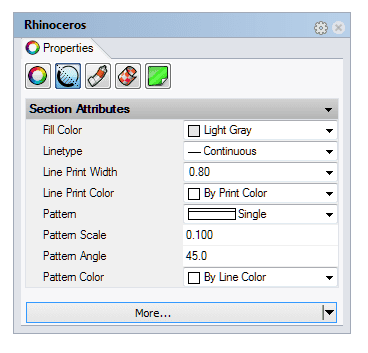
Rhino プロパティパネルのSection Attributes
Section attributes:
- Fill color(カラー)
- Linetype(線種)
- Line Print Width(印刷幅)
- Line Print Color(印刷色)
- Pattern(パターン)
- Pattern Scale(パターンスケール)
- Pattern Angle(パターン角度)
- Pattern Color(パターンカラー)
- Clipping: このオプションが無効の場合、オブジェクトはアクティブな VisualARQ section(断面)、Cutplane(切断面)、または Rhino クリッピング平面によって断面化されません。
注: Line Print Width (印刷幅)とLine Print Color(印刷色)は、印刷プレビューがオンのときにのみ表示されます。
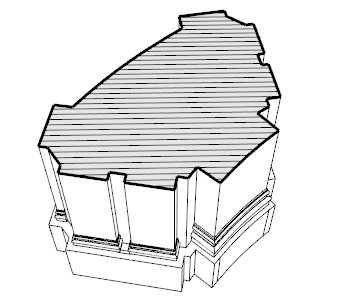
Section attributesが割り当てられたRhino オブジェクト
The More... ボタン
ダイアログの下部にある [More../詳細] ボタンをクリックすると、作図コマンドに関連するショートカットに素早くアクセスできます。:
- Print Preview(印刷プレビュー)
- Hatch Scaling(ハッチスケール)
- Annotation Settings(注釈設定)
- Import Hatch Pattern(ハッチパターンのインポート)
- Import Linetypes(線種のインポート)
VisualARQ Section Attributes /Style Properties(Style Manager)ダイアログボックス内
section attributesは、対応する Style Properties(Manager)ダイアログボックスから、オブジェクトスタイルとして編集することもできます。
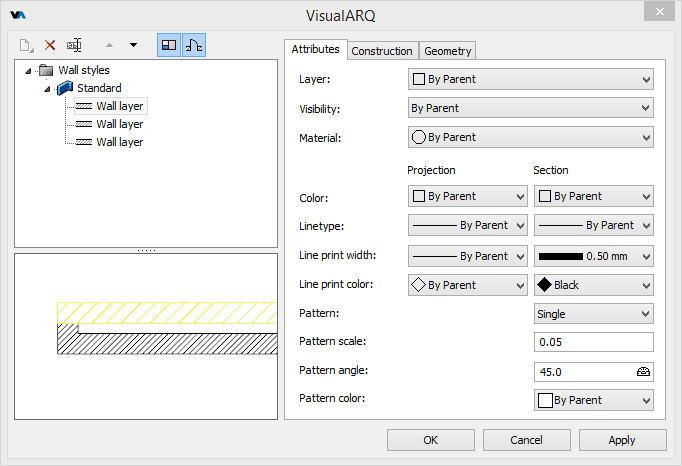
wall Style Propertiesダイアログ内の Attributes タブ